Compare Thesis Drafts & Track Supervisor Edits: Fast Diff Guide
Audit every change between thesis Draft v1 and Final v2, catch accidental citation deletions, build a clean supervisor response table, and export an error-free final PDF.
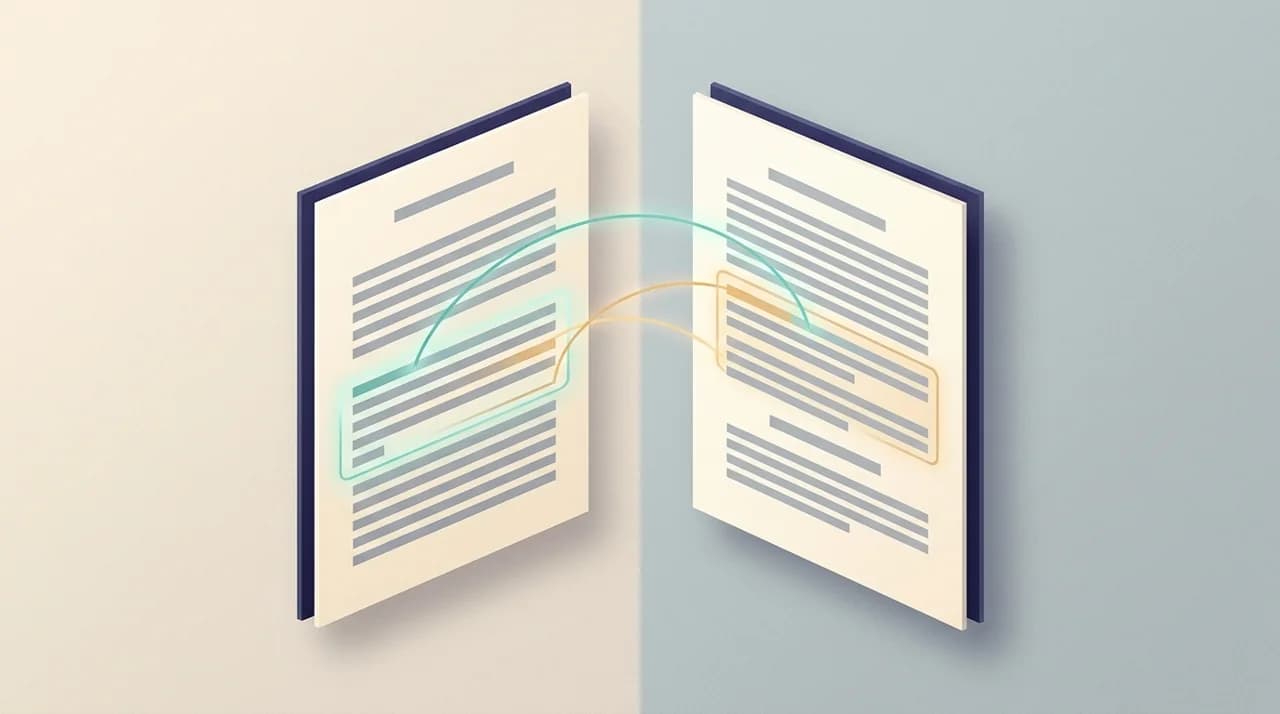
Key Takeaways: Manual side-by-side scrolling misses silent thesis regressions—especially deleted citations, mismatched sample sizes, and unresolved supervisor comments. Run an automated diff between Draft v1 and Final v2, pair every change with a structured Response to Supervisor table, and verify text selection inside your final exported PDF before institutional submission.
Open the thesis folder of almost any graduating student and you will find a familiar graveyard of filenames: Thesis_Draft_v1.docx, Thesis_v1_Prof_Comments.pdf, Thesis_v2_merged.docx, and Thesis_FINAL_really_final.pdf. Somewhere between reordering Chapter 3, accepting forty tracked changes, and fixing a stubborn bibliography style at midnight, silent errors slip in. A deleted paragraph takes an essential citation with it, your Abstract still quotes last month's pilot sample size, or a PDF export scrambles two equations.
Why Manual Draft Comparison Breaks Down at Thesis Scale
Eyeballing two 60-page manuscripts side-by-side works for a five-page seminar paper, not for a dissertation or master's thesis. Four real-world friction points make manual checks unreliable:
- Mixed feedback formats: Many advisors annotate a PDF with sticky notes while you edit the underlying
.docxfile, leaving no unified audit trail. - Unintended deletions during "Accept All": Accepting or rejecting nested Track Changes can silently drop parenthetical citations or footnote markers.
- Copy-paste drift across versions: Pulling a paragraph back from an earlier backup often reintroduces outdated numbers, old terminology, or unedited phrasing.
- PDF rendering surprises: A Word document that looks spotless on screen can lose embedded fonts, shift table captions, or break clickable cross-references during final export.
Replacing guesswork with a structured diff pass takes ten minutes and prevents the exact clerical errors thesis examiners catch first.
What to Audit Between Draft v1 and Final v2
Before you build your supervisor response memo or lock your submission file, check the five revision layers where thesis errors hide most often.
| Revision Layer | Common Failure Mode | What a Diff Audit Catches | Verification Standard |
|---|---|---|---|
| Citations & Bibliography | Deleting a sentence removes the only mention of a source still listed in References | Orphaned or missing (Author, Year) tags across drafts | 100% 1-to-1 match between in-text citations and bibliography |
| Sample & Stat Consistency | Updating n = 142 in Results while Abstract or Methods still reads n = 150 | Changed numeric values isolated alongside untouched sections | Every number in Abstract, Methods, Tables, and Discussion aligns |
| Supervisor Comment Closure | Clicking "Resolve" in Word after reading a comment without editing the text | Zero textual diff near an allegedly "addressed" section | Every major comment maps to a concrete textual or data revision |
| Cross-References & Captions | Inserting a new figure shifts numbering, leaving "see Table 3" pointing to Table 4 | Altered headings, figure labels, and internal pointer text | Every Table X, Figure Y, and Section Z reference verified |
| Exported PDF Text Layer | Equations or tables export as flat images, breaking text search and indexing | Missing characters, garbled symbols, or dropped page headers | Every page selectable and searchable inside final PDF viewer |
If your institution enforces strict self-plagiarism limits when reusing material from your own research proposal, running a targeted diff also shows exactly how much proposal text carried over verbatim into Chapter 1 or Chapter 3.
Building a Clean Response-to-Supervisor Table (With Example)
Whether you are replying to a thesis advisor or preparing a formal Response to Examiners memo, never answer feedback with vague one-liners like *"Fixed"* or *"Updated as suggested."* A structured response table cuts your supervisor's re-reading time in half and proves you engaged seriously with every critique.
Before: Vague, Hard-to-Verify Reply
*Supervisor Comment:* "Your exclusion criteria in Section 3.2 feel arbitrary, and the justification for dropping post-2022 observations needs stronger support." *Weak Student Reply:* "Thanks! I updated Section 3.2 and added a reference to explain this better."
Your advisor now has to hunt through Section 3.2 trying to guess what actually changed.
After: Precision Response Table & Revised Snippet
| Comment ID | Supervisor Critique | Exact Location | Action Taken & Author Response | Status |
|---|---|---|---|---|
| C-04 | Exclusion criteria in 3.2 feel arbitrary; justify dropping post-2022 data | Ch. 3, Sec. 3.2, pp. 28–29 | Added two-sentence methodological rationale explaining the 2023 regulatory break and cited Chen & Patel (2024) on regime-shift bias; updated Table 3.1 note. | Completed |
And in the thesis itself, the revised sentence reads cleanly:
*Revised Text:* "Observations after December 2022 were excluded because the January 2023 reporting mandate altered disclosure thresholds across small-cap firms, introducing structural break bias (Chen & Patel, 2024). Sensitivity checks including 2023–2024 records appear in Appendix B."
Notice the rule of thumb: every row needs four anchors—a unique ID, the exact location (Chapter / Section / Page), a specific summary of what changed, and a clear status (Completed, Clarified in Text, or Respectfully Retained with Rationale).

Fast Five-Step PDF/Word Diff and Export Workflow
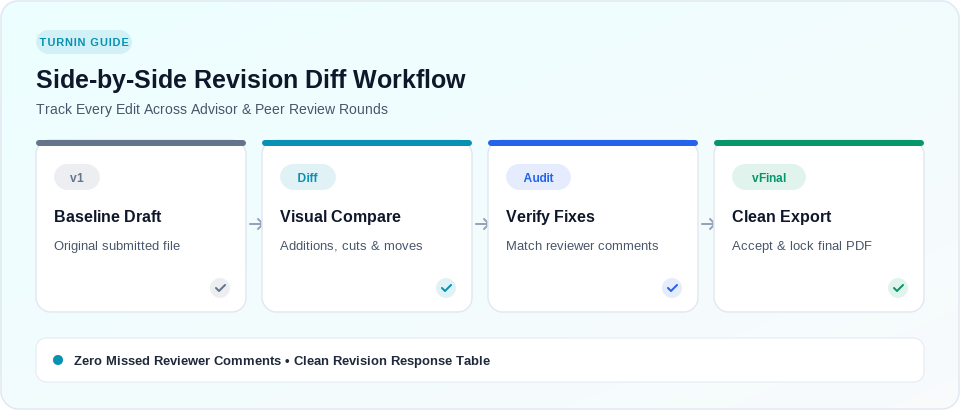
Use this streamlined sequence whenever you finish a revision round and want to lock a submission-ready PDF without breaking citations or layout:
- Freeze clean baseline files before comparing. Save a read-only copy of
Draft_v1and your newly editedFinal_v2in a dedicated/auditfolder so no late-night tweak shifts your baseline mid-review. - Run an automated side-by-side document diff. Upload both Word or PDF drafts into Turnin's Document Comparison tool to surface every added, deleted, and relocated line, paying closest attention to deleted parenthetical citations, changed numbers, and altered section headings.
- Turn your diff log into a supervisor response matrix. Feed your tracked revisions and advisor notes into Turnin's Review Response builder so every critique receives a verifiable location tag and concise explanation.
- Resolve stray formatting and polish final prose. Fix broken line wraps, inconsistent citation punctuation, or awkward transitions inside Turnin's academic editor, and browse formatting helpers in the Turnin Paper Tools hub if you need quick structural cleanups before export.
- Audit the exported PDF and respect official submission systems. Export via Save as PDF (preserving bookmarks and searchable text rather than "Print to Image"), spot-check five random pages for selectable text and equation rendering, and remember that Turnin's tools support responsible self-review—your university's official Turnitin portal and graduate school formatting check always remain the binding standard.
Frequently Asked Questions on Thesis Diffs and PDF Export
Should I run my diff on Word (.docx) files or on the final exported PDF?
Compare .docx files first while editing content, because Word preserves clean paragraph flow without page-break artifacts. Once you export your final PDF, run one quick PDF-to-PDF or PDF-to-Word check to confirm no headers, equations, or bibliography entries dropped during conversion.
How do I catch accidental citation deletions when merging chapters?
Filter your diff output for parentheses, brackets, or reference numbers—such as (20 or [—and verify that every deleted citation was intentionally removed. Then refresh your reference manager (Zotero, EndNote, or Mendeley) inside the merged master file before exporting.
Is a Response to Supervisor table really necessary if my advisor already used Track Changes?
For minor typo passes, a brief email summary is usually enough. For full chapter rewrites, committee feedback, or journal/thesis revisions, a clean Response to Supervisor table dramatically speeds up final sign-off and protects you if an examiner asks where a specific concern was resolved.